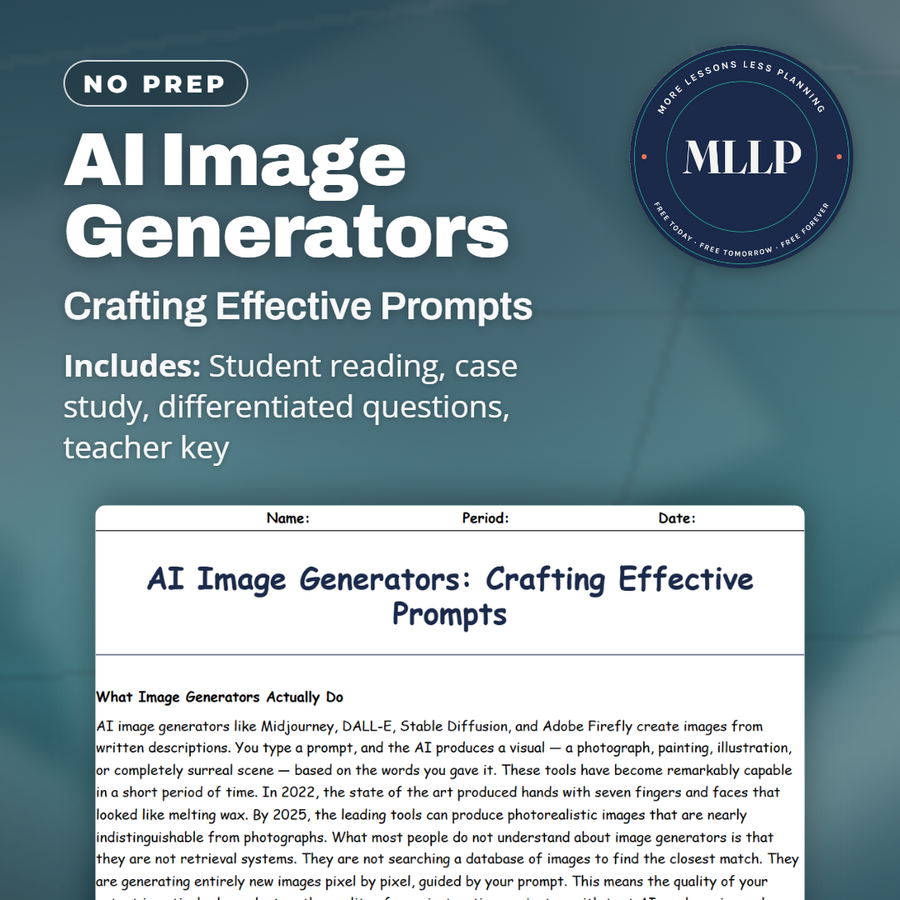
AI Image Generators: Crafting Effective Prompts
Quality reviewed September 2026
Facts verified September 20, 2026
- Subject
- Career & Life Skills
- Grades
- Grades 9-12
- Length
- 9-page student worksheet
- Time
- About one 50-minute class period
- Great for
- Sub plans and independent work
- Includes
- Reading passage, comprehension questions + full answer key
- Format
- Print-and-go PDF
What students do
- Composition and negative prompt fill out a five-term matching set on image-prompting vocabulary
- Keisha's one-word ocean prompt and her rewritten poster image anchor two case study questions
- Retrieval, photography, and training complete three blanks pulled from the passage on image prompts
- Answer three multiple choice questions on style, negative prompts, and AI image copyright
What it covers
- Six passages on building an image prompt, from subject and style to lighting and negative prompts
- A case study on Keisha rewriting a one-word prompt into a detailed ocean conservation poster image
- A key info table naming eight prompt elements, from composition to quality modifiers
Start reading this worksheet
What Image Generators Actually Do
AI image generators like Midjourney, DALL-E, Stable Diffusion, and Adobe Firefly create images from written descriptions. You type a prompt, and the AI produces a visual (a photograph, painting, illustration, or completely surreal scene) based on the words you gave it. These tools have become remarkably capable in a short period of time. In 2022, the state of the art produced hands with seven fingers and faces that looked like melting wax. By 2025, the leading tools can produce photorealistic images that are nearly indistinguishable from photographs. What most people do not understand about image generators is that they are not retrieval systems. They are not searching a database of images to find the closest match. They are generating entirely new images pixel by pixel, guided by your prompt. This means the quality of your output is entirely dependent on the quality of your instructions; just as with text AI, garbage in produces garbage out. But with image AI, the vocabulary you need to prompt effectively is somewhat different from what you need for text.
The Building Blocks of an Image Prompt
An effective image prompt typically includes several categories of information. The first is subject: what is in the image? Be specific. "A dog" will produce a generic dog. "A golden retriever puppy sitting in autumn leaves, looking up at the camera" will produce something specific and compelling. Include the main subject, any important secondary elements, and the relationship between them. The second building block is style: what should the image look like artistically? Options here are almost unlimited. You can specify photorealistic, watercolor, oil painting, flat vector illustration, charcoal sketch, digital art, anime style, film noir, 1980s retro, Pixar-style 3D, editorial illustration, and hundreds of others. Without a style specification, the AI will default to whatever style it has seen most frequently in its training data, which is usually a kind of generic digital art or photorealism. Specifying style is one of the most powerful levers you have in image generation.
Lighting, Composition, and Mood
Three additional elements dramatically improve image quality: lighting, composition, and mood. Lighting descriptions borrowed from photography and cinematography produce remarkable results. Terms like "golden hour lighting," "studio lighting with soft fill," "dramatic side lighting," "neon glow at night," and "overcast diffused natural light" all push the image in specific directions. Lighting sets the entire emotional register of an image, and most beginners forget to specify it at all. Composition refers to how the subject is framed and positioned in the image. Terms from photography work well here: "close-up portrait," "wide establishing shot," "aerial view looking down," "dutch angle," "extreme close-up on the eyes," or "centered symmetrical composition." Mood describes the emotional atmosphere: "melancholy," "triumphant," "playful," "tense," "serene," or "haunting." These three elements (lighting, composition, mood) are what separate competent image prompts from genuinely effective ones.
Like what you read? The full reading, the case study, and every question set are in the free download below, along with the answer key.
Why this matters
Any student making a poster, a presentation background, or social media graphics will eventually reach for an AI image generator, and the difference between Keisha's first flat attempt and her final poster-ready image came down entirely to vocabulary, not luck. Learning the specific language of style, lighting, and composition turns a frustrating guessing game into a tool a student can actually direct on purpose. The reading's section on training data and copyright also matters beyond the assignment, since it asks students to think about where these images actually come from and what it means to generate art in a living artist's style without their permission.
From one teacher to another
A one-word prompt like ocean produces a generic wallpaper, and this worksheet explains exactly why. Students read that image generators such as Midjourney and DALL-E create new images pixel by pixel rather than retrieving existing photos, so a vague prompt gives the AI nothing specific to work from. The reading breaks an effective prompt into building blocks: subject, style, lighting, composition, mood, and quality modifiers, then covers negative prompts for removing unwanted elements like blurry backgrounds or distorted faces. A passage on ethics explains that these tools trained on artists' work without consent and that AI-generated images are generally not copyrightable. The case study follows Keisha, who turned the single word ocean into a detailed prompt naming a sea turtle, dramatic underwater lighting, and a wide establishing shot for her conservation poster.
What you get
Download
Where should I send the next one?
Everything here is free and it stays that way. Leave your email and I'll send you the new lessons as they go up. You can unsubscribe from any one of them.
Related resources
AI Translation Tools and When NOT to Trust Them
AI as a Study Partner: Smart Ways to Learn With It
AI for Research: Fact-Checking and Source-Finding
AI in Microsoft Word, Google Docs, and Canva
Free vs. Paid AI: What's Worth It for a Student?
Prompt Writing 101: How to Talk to AI
Every lesson on this site is free to download and use. If one of them saved you a prep period, you can chip in a few bucks toward my three kids' daycare fund. That's genuinely where tips go.